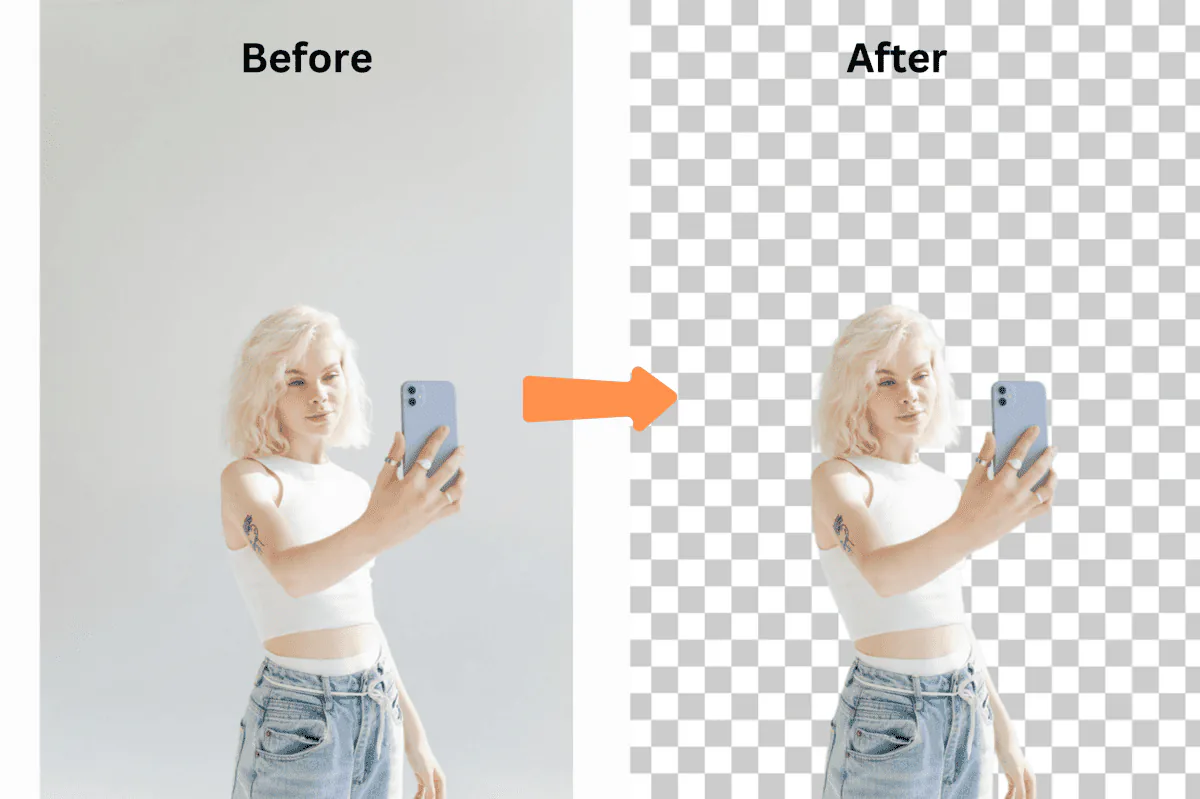
Let me paint you a picture that might sound painfully familiar.
It's 2 AM. You're on your fifth cup of chai, hunched over Photoshop, manually removing the background from product image #387 out of 2,000. Your eyes are burning, your wrist hurts from clicking, and you're questioning every life decision that led you to this moment.
Sound familiar?
That was me six months ago, drowning in product photos for my e-commerce business on Flipkart and Amazon India. Then I discovered something that changed everything: bulk background removal.
I'm not exaggerating when I say this discovery saved my business. Last month alone, I processed 10,000 images in about 2 hours. That same task would have taken me 3 weeks of full-time work doing it manually.
Let me show you exactly how this works and why you're probably losing money every day you don't use it.
The Problem Nobody Talks About
Manual background removal costs businesses thousands of rupees per month in editing labour that bulk AI tools can eliminate almost entirely.
Here's a truth bomb most people won't tell you: If you're removing backgrounds manually, you're literally burning money.
Let me break down the maths:
- Average time to manually remove a background properly: 3-5 minutes
- Freelance editor rate in India: ₹200-500/hour
- 1,000 product images = 50-83 hours = ₹10,000-₹41,500
- Monthly (4,000 images) = ₹40,000-₹1,66,000
- Yearly = ₹4,80,000-₹19,92,000
And that's just for 1,000 images. Most e-commerce stores on Flipkart, Amazon India, or Meesho have thousands.
I was spending ₹3,00,000/month on photo editing. My competitor? She was using bulk background removal and spending ₹0. Guess who had better margins?
The Day Everything Changed
Picture this: It's the Great Indian Festival sale on Amazon. I've got 3,000 new products to list before the weekend. My usual editor just quit. Panic mode activated.
That's when I stumbled upon bulk background removal — specifically, the batch processing feature on remove-bg.io.
I uploaded 500 images as a test. Grabbed a chai. Came back 3 minutes later.
All. Done. Perfect cutouts. Transparent backgrounds. Ready for Flipkart and Amazon India.
I literally stared at my screen for 30 seconds, convinced something was broken. It wasn't.
What Actually IS Bulk Background Removal? (No Corporate BS)
Bulk background removal is the process of uploading hundreds or thousands of images at once and using AI to strip all their backgrounds simultaneously, instead of editing each image one by one.
Forget the technical jargon. Here's what it actually means:
Instead of opening each image individually like a digital caveman, you dump hundreds (or thousands) of images into a tool, click one button, and watch AI do in minutes what would take you weeks.
It's like having 100 photo editors working simultaneously, except they:
- Never get tired
- Never make mistakes from fatigue
- Never ask for a salary hike
- Work at 3 AM without complaining
Real Talk: Who Actually Needs This?
E-commerce sellers, photographers, and marketing agencies who regularly process large volumes of product or portrait images benefit the most from bulk background removal.
You're an E-commerce Seller If...
- You've ever stayed up past midnight editing product photos
- Amazon India or Flipkart keeps rejecting your listings for "improper backgrounds"
- You've calculated that photo editing costs more than your profit margins
- You've lost sales because you couldn't list products fast enough
Your Reality: Priya from Mumbai was processing 50 products a week manually. After switching to bulk processing, she now lists 500 products weekly on Meesho and Amazon. Her revenue went from ₹80,000 to ₹4,70,000/month in 4 months.
You're a Photographer If...
- School photo day means 2 weeks of editing hell
- You charge less because editing time eats your profits
- Clients want their photos "yesterday"
- You've turned down gigs because of the editing workload
Your Reality: Rajesh, a wedding photographer in Delhi, used to deliver photos in 3 weeks. Now? 48 hours. He went from shooting 5 weddings per season to 23.
You're a Marketing Agency If...
- Clients send you 200 product images at 4 PM for a 9 AM campaign
- You're outsourcing to expensive editors
- Inconsistent editing quality is damaging client relationships
The Honest Guide to Bulk Background Removal
Here's exactly how I process thousands of images. No fluff, just the actual process:
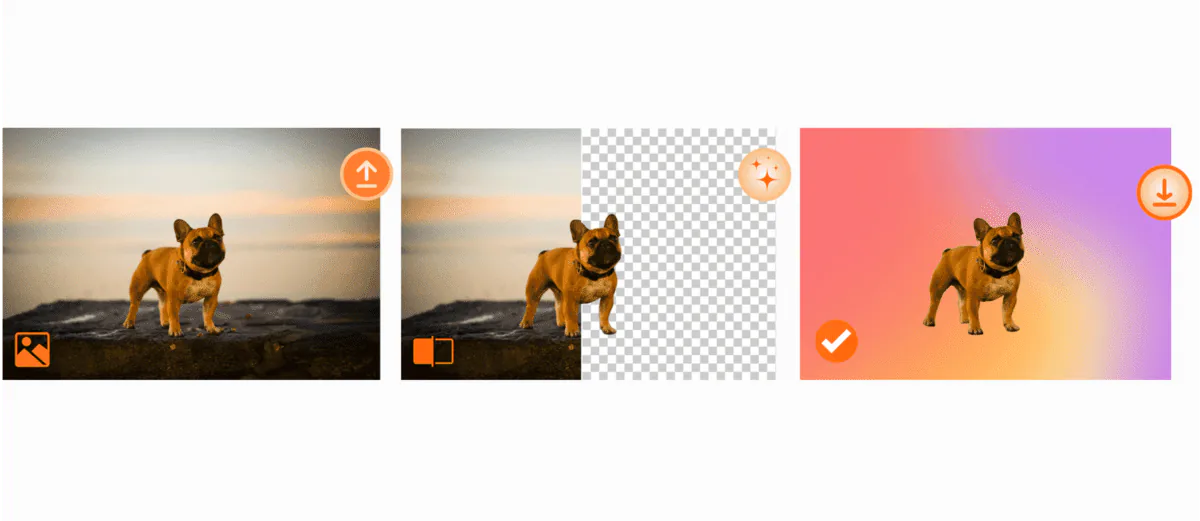
Step 1: The Mass Upload (30 seconds)
I literally just select all images in a folder and drag them into remove-bg.io. That's it. No resizing, no preprocessing. The tool handles JPG, PNG, WebP — whatever you throw at it.
Pro Tip: I organise images by product type first. Makes the later steps smoother.
Step 2: The Magic Happens (2-3 minutes per 100 images)
This is where you grab chai. The AI is:
- Detecting edges (even tricky ones like hair and fur)
- Preserving shadows (crucial for e-commerce)
- Handling transparent objects (goodbye, hours of glass product editing)
- Processing everything in parallel
Step 3: The Quick Review (5 minutes)
Everything appears in a grid. I can spot-check quality instantly. 99% of the time, it's perfect.
Step 4: Mass Download (1 minute)
One click. ZIP file. Done. All images maintain their original names and quality.
The Numbers That Made Me a Believer
I'm a data nerd, so I tracked everything:
Week 1 (Manual Editing):
- Images processed: 127
- Time spent: 11 hours
- Cost (outsourced): ₹22,000
- Errors/redo's: 18
Week 2 (Bulk Processing):
- Images processed: 2,847
- Time spent: 1.5 hours
- Cost: ₹0
- Errors/redo's: 3
That's a 2,241% increase in productivity. Not a typo.
The Features That Actually Matter
After testing 15 different tools, here's what separates the pros from the duds:
1. The 1,000 Image Limit
Most tools cap you at 50 images. Remove-bg.io handles 1,000 at once. I once processed an entire Diwali catalogue in one batch.
2. No Quality Loss
Some tools compress your images to death. Remove-bg.io maintains full resolution. Every. Single. Pixel.
3. Shadow Preservation
Nothing screams "amateur" like a product floating in space. Good bulk processors preserve or add natural shadows.
4. Edge Detection That Works
Ever tried removing the background from a white kurta on a white background? Most tools fail. The AI here handles it brilliantly.
Real Stories from Real People
"I let go of my entire editing team" — Sneha, Fashion Boutique Owner, Jaipur
"Sounds harsh, but I went from paying 3 editors ₹1,50,000/month to doing everything myself in 2 hours a week. I reinvested that money into inventory. Sales are up 340%."
"My wedding photography business exploded" — Amit, Wedding Photographer, Bangalore
"I was turning down weddings because I couldn't handle the editing. Now I shoot Friday, process 2,000 photos Saturday morning, deliver Sunday."
The Mistakes That Will Waste Your Time
Mistake #1: Not Organising Files First
I once uploaded 3,000 mixed images. The chaos afterward wasn't worth the 5 minutes I "saved."
Mistake #2: Ignoring File Naming
"IMG_9384.jpg" times 1,000 = nightmare. Now I use descriptive names.
Mistake #3: Processing Everything at Max Resolution
Unless you need print quality, web images don't need to be 8000x8000 pixels.
Mistake #4: Not Using Presets
Setting up shadow and edge preferences once saves hours.
Advanced Techniques That 10x Your Results
The Batch Variation Method
Instead of one product photo, I create 20 variations instantly:
- Original on white
- With shadows
- On coloured backgrounds
- Lifestyle contexts
The Template System
I created templates for each platform:
- Amazon India (pure white, specific dimensions)
- Flipkart (square, consistent backgrounds)
- Meesho (clean, bright)
- Instagram Shopping (square, branded backgrounds)
Let's Talk Money
Here's what bulk processing actually saves:
Freelance Editor Costs:
- 1,000 images × 5 minutes each = 83 hours
- 83 hours × ₹350/hour = ₹29,050
- Monthly (4,000 images) = ₹1,16,200
- Yearly = ₹13,94,400
Bulk Processing Costs:
- Time: 2 hours/month
- Tool: Free (remove-bg.io)
- Your sanity: Preserved
ROI: Infinite (literally, since it's free)
The Competition Breakdown
Remove.bg: Good quality, but $1.99 per HD image after 50 free. At Indian volumes, that's lakhs per year.
Canva Pro: Background remover requires ₹5,000/year subscription. Limited to 100 images/month.
PhotoRoom: Watermarks everything unless you pay.
Remove-bg.io: 1,000 images at once. Free. HD. No watermarks. No signup. This is the way.
Your First Bulk Processing Session (Do This Today)
- Gather 50 test images
- Visit remove-bg.io/bulk-background-remover
- Drag and drop all 50
- Time it (spoiler: under 2 minutes)
- Calculate how much time you just saved
- Process everything else you've been avoiding
FAQs
"Is this actually free or is there a catch?" Actually free. No catch. Remove-bg.io makes money from enterprise API users, not individuals like us.
"What about complex images like lehengas or glass bangles?" Handles them better than I can manually. The AI was trained on millions of edge cases.
"Can I use these for commercial purposes?" Yes. Full commercial rights.
"How long do files stay on the server?" Auto-deleted after 1 hour. Download immediately.
The Bottom Line
If you're still removing backgrounds manually, you're choosing to waste time and money. It's like hand-washing clothes when washing machines exist.
I went from spending 40 hours/week on photo editing to 2 hours. My business grew 400% in 6 months.
The tool is free. It takes 2 minutes to learn. There's literally no reason not to try it.
Ready to join the bulk processing revolution?
→ Start Processing Images in Bulk Now
Last updated: December 2024 | Written by someone who actually uses this tool daily.