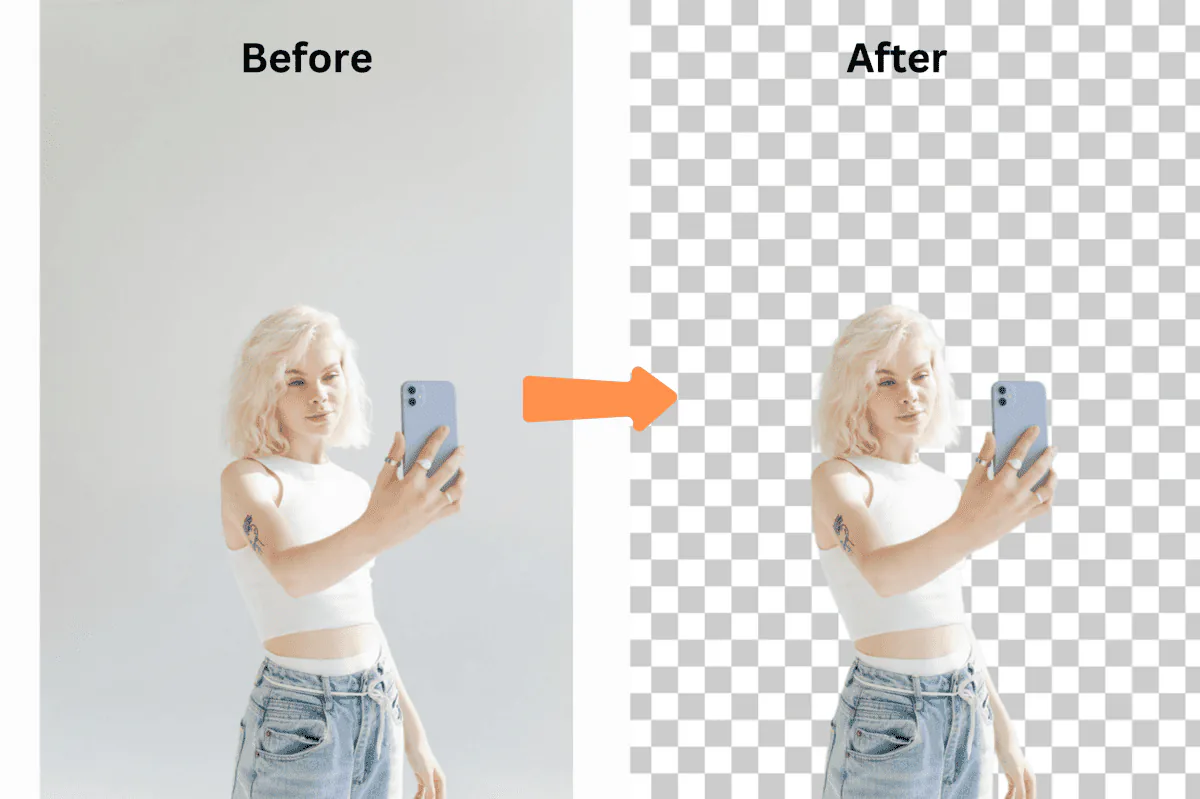
Let me paint you a picture that might sound painfully familiar.
It's 2 AM. You're on your fifth cup of rooibos, hunched over Photoshop, manually removing the background from product image #387 out of 2,000. Your eyes are burning, your wrist hurts from clicking, and you're questioning every life decision that led you to this moment.
Sound familiar?
That was me six months ago, drowning in product photos for my e-commerce business. Then I discovered something that changed everything: bulk background removal.
I'm not exaggerating when I say this discovery saved my business. Last month alone, I processed 10,000 images in about 2 hours. That same task would have taken me 3 weeks of full-time work doing it manually.
Let me show you exactly how this works and why you're probably losing money every day you don't use it.
The Problem Nobody Talks About
Manual background removal costs businesses thousands of rands per month in editing labour that bulk AI tools can eliminate almost entirely.
Here's a truth bomb most people won't tell you: If you're removing backgrounds manually, you're literally burning money.
Let me break down the maths:
- Average time to manually remove a background properly: 3-5 minutes
- Freelance editor rate in SA: R200-400/hour
- 1,000 product images = 50-83 hours = R10,000-R33,200
- Monthly (4,000 images) = R40,000-R132,800
- Yearly = R480,000-R1,593,600
And that's just for 1,000 images. Most e-commerce stores have thousands.
I was spending R60,000/month on photo editing. My competitor? She was using bulk background removal and spending R0. Guess who had better margins?
The Day Everything Changed
Picture this: It's Black Friday. I've got 3,000 new products to list before the weekend. My usual editor just quit. Panic mode activated.
That's when I stumbled upon bulk background removal — specifically, the batch processing feature on remove-bg.io.
I uploaded 500 images as a test. Grabbed a coffee. Came back 3 minutes later.
All. Done. Perfect cutouts. Transparent backgrounds. Ready for Takealot, Gumtree, and the website.
I literally stared at my screen for 30 seconds, convinced something was broken. It wasn't.
What Actually IS Bulk Background Removal?
Bulk background removal is the process of uploading hundreds or thousands of images at once and using AI to strip all their backgrounds simultaneously, instead of editing each image one by one.
Instead of opening each image individually, you dump hundreds (or thousands) of images into a tool, click one button, and watch AI do in minutes what would take you weeks.
It's like having 100 photo editors working simultaneously, except they:
- Never get tired
- Never make mistakes from fatigue
- Never ask for a pay increase
- Work at 3 AM without complaining
Real Talk: Who Actually Needs This?
E-commerce sellers, photographers, and marketing agencies who regularly process large volumes of product or portrait images benefit the most.
You're an E-commerce Seller If...
- You've ever stayed up past midnight editing product photos
- Takealot keeps rejecting your listings for image quality
- Photo editing costs more than your profit margins
- You've lost sales because you couldn't list products fast enough
Your Reality: Thandi from Johannesburg was processing 50 products a week manually. After switching to bulk processing, she now lists 500 products weekly on Takealot and Gumtree. Her revenue went from R80,000 to R470,000/month in 4 months.
You're a Photographer If...
- School photo day means 2 weeks of editing hell
- You charge less because editing time eats your profits
Your Reality: Pieter, a school photographer in Cape Town, used to deliver photos in 3 weeks. Now? 48 hours. He went from shooting 5 schools per season to 23.
The Honest Guide to Bulk Background Removal
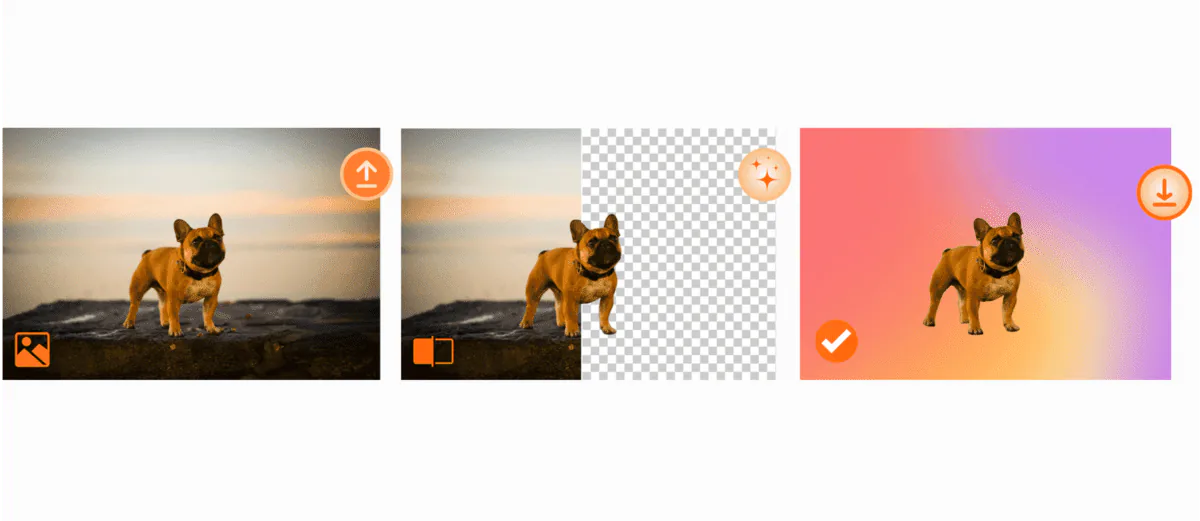
Step 1: The Mass Upload (30 seconds)
Select all images in a folder and drag them into remove-bg.io. The tool handles JPG, PNG, WebP.
Step 2: The Magic Happens (2-3 minutes per 100 images)
The AI detects edges, preserves shadows, handles transparent objects, and processes everything in parallel.
Step 3: The Quick Review (5 minutes)
Everything appears in a grid. 99% of the time, it's perfect.
Step 4: Mass Download (1 minute)
One click. ZIP file. Done.
The Numbers That Made Me a Believer
Week 1 (Manual Editing):
- Images processed: 127
- Time spent: 11 hours
- Cost (outsourced): R8,800
- Errors/redo's: 18
Week 2 (Bulk Processing):
- Images processed: 2,847
- Time spent: 1.5 hours
- Cost: R0
- Errors/redo's: 3
That's a 2,241% increase in productivity.
The Features That Actually Matter
1. The 1,000 Image Limit
Most tools cap you at 50. Remove-bg.io handles 1,000 at once.
2. No Quality Loss
Full resolution maintained. Every. Single. Pixel.
3. Shadow Preservation
Products look grounded, professional, real.
4. Edge Detection That Works
Even handles white-on-white and complex hair.
Advanced Techniques
The Template System
I created templates for each platform:
- Takealot (pure white, specific dimensions)
- Gumtree ZA (clean, consistent backgrounds)
- OLX (square format)
- Website (transparent, multiple sizes)
- Facebook Marketplace (compressed, fast-loading)
Let's Talk Money
Freelance Editor Costs:
- 1,000 images x 5 minutes = 83 hours
- 83 hours x R300/hour = R24,900
- Monthly (4,000 images) = R99,600
- Yearly = R1,195,200
Bulk Processing Costs:
- Time: 2 hours/month
- Tool: Free (remove-bg.io)
ROI: Infinite (literally, since it's free)
The Competition Breakdown
Remove.bg: Good quality, but $1.99 per HD image. At South African volumes and exchange rates, that's serious money.
Canva Pro: R1,200/year subscription. Limited to 100 images/month.
Remove-bg.io: 1,000 images at once. Free. HD. No watermarks. No signup.
Your First Bulk Processing Session
- Gather 50 test images
- Visit remove-bg.io/bulk-background-remover
- Drag and drop all 50
- Time it (spoiler: under 2 minutes)
- Calculate how much time you just saved
- Process everything else you've been avoiding
FAQs
"Is this actually free?" Yes. Remove-bg.io makes money from enterprise API users, not individuals.
"What about complex images like wedding dresses?" Handles them better than manual editing.
"Can I use these commercially?" Yes. Full commercial rights.
"How long do files stay on the server?" Auto-deleted after 1 hour.
The Bottom Line
If you're still removing backgrounds manually, you're choosing to waste time and money.
I went from 40 hours/week on photo editing to 2 hours. My business grew 400% in 6 months.
The tool is free. Give it a try.
→ Start Processing Images in Bulk Now
Last updated: December 2024 | Written by someone who actually uses this tool daily.