

Supprimez l'arrière-plan instantanément
Suppression d'arrière-plan instantanée en pleine résolution — 100% gratuit, sans inscription !
Pas d'image ? Essayez l'une de celles-ci :
ou glissez-déposez une image, collez une URL
En téléchargeant une image, vous acceptez nos Conditions d'utilisation et Politique de confidentialité
Sans inscription
Requise
100% Gratuit
Pour toujours
Sans filigrane
Résultats nets
Qualité HD
Pleine résolution
Résultats Haute Définition


Qu'est-ce que retirer le fond ?
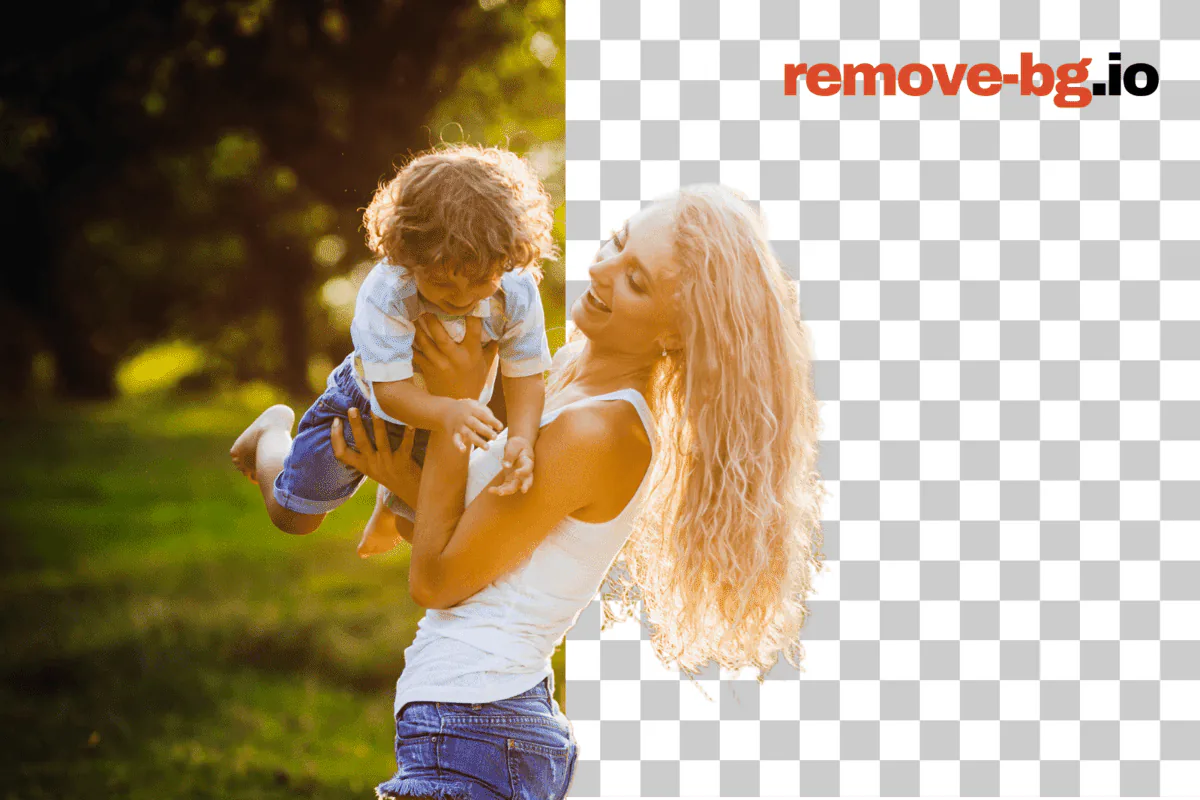
Retirer le fond isole le sujet d'une photo — une personne, un produit, un véhicule, un animal, un graphique — de tout ce qui est derrière, en laissant un détourage propre que tu peux poser sur n'importe quel fond. Le résultat est habituellement un PNG transparent, où chaque pixel qui était auparavant ciel, mur, table ou sweep studio devient espace vide. À partir de là tu peux sauvegarder le détourage tel quel, le coller sur un carré blanc pour une fiche marketplace, le passer sur une couleur de marque, flouter la scène originale pour un portrait plus doux, ou composer le sujet dans une nouvelle prise complètement.
remove-bg.io exécute le modèle de segmentation directement dans ton navigateur via ONNX Runtime compilé en WebAssembly. La première fois que tu ouvres l'éditeur, un fichier modèle est téléchargé dans le cache de ton appareil ; après ça le détourage se passe localement sur ton CPU ou GPU sans aller-retour serveur. Cela signifie que la photo ne quitte jamais ton ordinateur par défaut, les exports restent en résolution complète sans filigrane, et il n'y a pas de quota quotidien ni de paywall HD à négocier. Quand la voie in-browser n'arrive pas à atteindre un résultat fiable — frames très grands, cheveux fins contre fond chargé, silicium mobile d'entrée de gamme — l'éditeur bascule vers un appel API protégé par signature HMAC et proof-of-work.
Les workloads communs tombent dans quelques formes familières. Vendeurs marketplace sur Amazon, Etsy, eBay et Shopify ont besoin d'un carré blanc pur à des tailles exactes en pixels ; photographes portrait ont besoin d'un bord transparent doux qui survit à un compositing en ligne de cheveux ; posteurs sociaux veulent un crop carré ou vertical avec le sujet poussé vers une zone safe loin des overlays caption ; les flux documents ont besoin d'une silhouette tête-épaules avec spec passeport prête pour un formulaire officiel. Le même pipeline de détourage sert tout le monde, et un éditeur en couches par-dessus — remplissages couleur, dégradés, flous, drop shadows, fonds de marque et un pinceau manuel pour pixels isolés — transforme le masque brut en export terminé.
Comment Utiliser remove-bg.io
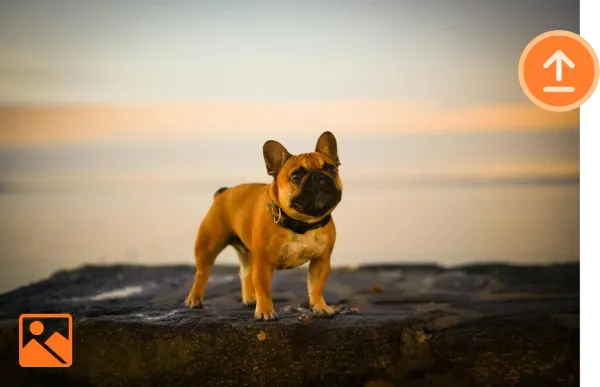
Téléchargez une Image
Cliquez sur Télécharger ou faites glisser votre image souhaitée dans la boîte de téléchargement.
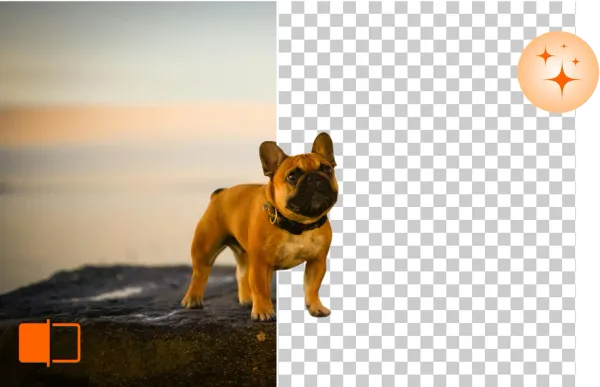
Supprimez & Éditez l'Arrière-Plan
remove-bg.io supprimera automatiquement l'arrière-plan en quelques secondes, vous permettant de continuer à éditer.
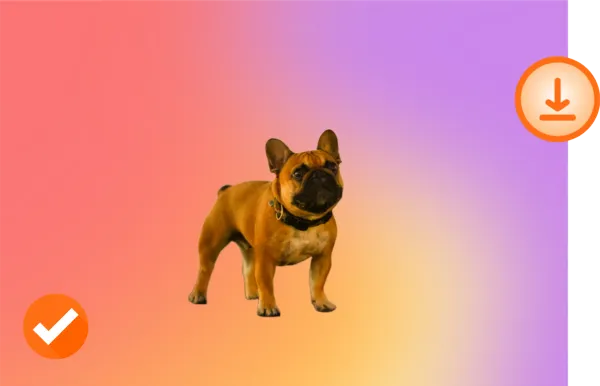
Téléchargez en HD
Satisfait de votre nouvelle photo ? Téléchargez-la en qualité HD et partagez-la.
Faites-en le Vôtre !

Original

Arrière-plan Transparent

Nouvel Arrière-plan
Qu'est-ce qui Rend Remove BG Unique ?
Effacer des Arrière-plans en Ligne Gratuitement
Avec Remove BG, vous pouvez effacer les arrière-plans facilement et sans frais. Simplifiez votre flux de travail d'édition sans compromettre la qualité.
Éditez les Arrière-plans sur Tout Appareil
Remove BG fonctionne sur tous les appareils — aucune installation nécessaire. Éditez vos images en toute transparence depuis un ordinateur de bureau, une tablette ou un téléphone.
Compatibilité avec les Formats d'Image Populaires
Remove BG est compatible avec les formats de fichier PNG, JPG, et autres courants, ce qui en fait l'outil parfait pour tout projet.
Préservez la Qualité de Votre Image
Remove BG garantit que vos images conservent toute leur résolution et netteté, même après la suppression d'arrière-plan.
Pourquoi le traitement on-device compte
Le détourage par défaut ne quitte jamais ton appareil. Pas d'étape d'envoi, pas de fichier temporaire côté serveur, pas de ligne de log qui rattache un visage ou une photo produit à ton IP. Pour un portrait d'enfant, un rendu produit non sorti, une photo d'équipe interne ou un scan de passeport, cette frontière est la différence entre un outil que tu peux remettre à n'importe qui dans une équipe et un qui a besoin d'une revue juridique d'abord. Comme le modèle vit dans le cache de ton navigateur après la première run, les visites suivantes démarrent le détourage dans le temps qu'il faut pour charger un JPEG.
L'exécution locale élimine aussi les modes de panne qui viennent avec une API payante. Pas de frais par image à pister, pas de plafond de crédits mensuel qui frappe au pire moment, pas de rate limiter à attendre, pas d'outage service qui laisse un batch d'annonces vendredi soir bloqué. Une fois l'éditeur chargé, le détourage marche en vol, dans un portail captif Wi-Fi d'hôtel ou sur chantier avec LTE faible — le voyage est local. La seule fois où l'éditeur touche un serveur, c'est quand la voie in-browser manque de mémoire sur un frame très grand, et ce fallback est aussi gratuit.
Conçu pour chaque utilisation
E-commerce
Respecte les specs marketplace sans deuxième passe par plateforme. L'image principale blanc pur 2000x2000 d'Amazon, le carré 2000x2000 avec ombre douce d'Etsy, le frame zoom-ready 1600x1600 d'eBay, la règle de padding 2,5 % de Walmart, le slot PNG transparent produit de Shopify — chaque préréglage est en un clic et le canvas s'ajuste à la spec. Le processeur par lots prend un dossier de prises studio d'une seule séance et émet les exports par plateforme en parallèle, chacun étiqueté avec la bonne taille en pixels et le bon style d'ombre pour le feed cible.
Photographes
Détoure un sujet portrait loin d'un sweep studio distrayant, récupère le contour d'un cheveu envolé avec le pinceau manuel et compose la figure sur un fond doucement gradué ou une couleur de marque. Le pipeline conserve les métadonnées DPI originales à l'export, accepte les entrées JPEG, PNG, WebP et HEIC depuis smartphone ou séance tethered, et respecte la résolution complète du capteur en sortie — sans downsample silencieux pour rentrer dans un palier freemium. Le mode bulk gère une galerie de mariage en une seule run.
Concessions auto
Soulève un véhicule depuis un parking, depuis le sol d'une baie service ou depuis un parc sous la pluie et pose-le sur un dégradé propre de showroom, un fond couleur de marque ou un skyline de stock photo qui matche chaque autre unité de la page du parc. Le détourage tient sur les passages de roue et les jantes chromées, exporte à la résolution qu'attend ton feed DMS, et le carril bulk gère un refresh complet d'inventaire — cent VIN en un seul drag-and-drop sans frais par image ni prompt de carte de crédit à mi-chemin.
Marketing
Sors produit, talent ou sujets hero d'une seule séance et pose-les sur un fond de campagne, une bannière dégradé, un crop placement OOH ou un carré pour social payant. Les couleurs de marque sont sauvegardées une fois et appliquées en batch, le bord du détourage reste suffisamment propre pour impression billboard, et les exports incluent le PNG transparent, un JPEG aplati et un WebP pour l'équipe web. Le processeur bulk transforme une demande trimestrielle d'assets de demi-journée Photoshop en tâche de pause café.
Particuliers
Sors un détourage net d'une photo smartphone pour photo de profil sur LinkedIn, Discord, WhatsApp ou un portail scolaire qui exige fond plat. Pose ton visage sur une couleur propre, une version doucement floutée de la scène originale ou un fond de Noël pour une carte. Le PNG résolution complète va direct dans ta pellicule sans filigrane, et l'éditeur garde les envois récents dans un cache local IndexedDB pour qu'une deuxième passe sur la même photo s'ouvre à l'instant.
Développeurs
Colle un seul endpoint REST sur api.remove-bg.io, envoie une image base64 dans un body JSON signé HMAC et reçois un PNG transparent en retour. Le même endpoint pilote l'éditeur on-page, donc la forme de réponse, la qualité de détourage et le comportement de rate matchent ce que tu as déjà testé dans le navigateur. Les callers bulk restent sous trois jobs concurrents par token, et un handshake de boot protégé par Turnstile échange des clés de signature courte durée au lieu de fuiter une API key statique dans un bundle client. Sans lock-in SDK, sans minimum mensuel.
Depuis le blog
Détourer fond photos produits (Amazon, Shopify, eBay)
Apprenez à détourer les photos produits gratuitement en HD. Idéal pour les annonces Amazon, Shopify, eBay et Etsy. Sans inscription.
Photos passeport maison avec le bon fond (gratuit)
Réalisez des photos passeport conformes avec fond blanc à la maison. Couvre USA, UK, UE, Canada, Australie. Outil gratuit.
Convertir un logo en PNG transparent — gratuit
Convertissez tout logo en PNG transparent en quelques secondes. Détourez logos JPG, scans et captures. Gratuit, sans inscription, HD.
Questions Fréquemment Posées
Remove BG offre-t-il des outils d'édition ?
Oui, Remove BG fournit des outils pour affiner vos images, tels que la suppression d'arrière-plan, les ajustements, et les améliorations.
Comment puis-je améliorer la profondeur et le focus de mes images avec remove-bg.io ?
Notre outil prend en charge les effets de profondeur de champ, vous permettant de flouter l'arrière-plan et de mettre en avant le sujet.
Remove BG peut-il créer des arrière-plans transparents ?
Absolument ! Avec Remove BG, vous pouvez facilement rendre vos arrière-plans d'image transparents.
Puis-je effacer l'arrière-plan sur des appareils iPhone/iOS ?
Oui, notre outil est entièrement compatible avec les appareils iPhone et iOS.
Puis-je utiliser cet outil sur des appareils Android pour effacer l'arrière-plan ?
Oui, les utilisateurs Android peuvent facilement accéder et utiliser remove-bg.io pour effacer les arrière-plans.
Pourquoi utiliser ce détoureur en ligne ?
Remove BG est rapide, gratuit et facile à utiliser, avec des résultats professionnels qui maintiennent la qualité de votre image.
Cet outil est-il gratuit pour supprimer les arrière-plans ?
Oui, remove-bg.io propose des services gratuits de suppression d'arrière-plan pour tous les utilisateurs.
Puis-je supprimer l'arrière-plan d'un logo avec cet outil ?
Oui, vous pouvez facilement supprimer les arrière-plans des logos et autres graphismes.
Comment puis-je changer l'arrière-plan d'une photo ?
Après avoir supprimé l'arrière-plan, vous pouvez télécharger et appliquer un nouvel arrière-plan depuis nos modèles ou télécharger le vôtre.
Vous avez encore des questions ? Nous sommes là pour vous aider !
Contacter le Support