

Instantly Remove BG
Achieve seamless background removal in HD with Remove BG — 100% free and no signup needed!
By uploading an image, you accept our Terms of Service and Privacy Policy

No Sign-up
Required
100% Free
Forever
No Watermarks
Clean Results
HD Quality
Full Resolution
High-Definition Results


What is background removal?
Background removal isolates the subject of a photo — a person, a product, a vehicle, a pet, a graphic — from everything behind it, leaving a clean cutout you can drop onto any backdrop. The result is usually a transparent PNG, where every pixel that used to be sky, wall, table, or studio sweep becomes empty space. From that point you can save the cutout as-is, paste it onto a white square for a marketplace listing, swap in a brand colour, blur the original scene for a softer portrait, or composite the subject into a new shot entirely.
remove-bg.io finds the subject for you automatically: drop a photo in and the cutout comes back in seconds, ready to edit or download. Exports keep the full resolution you started with, with no watermark across them, no daily quota, and no HD tier to pay for. Harder frames — a very large photo, or fine hair against a busy background — can take a little longer, and they are the ones most likely to need a quick touch-up before you export. Nothing you upload is kept once your result comes back.
Common workloads land in a few familiar shapes. Marketplace sellers on Amazon, Etsy, eBay, and Shopify need a pure-white square at exact pixel sizes; portrait photographers need a soft transparent edge that survives a hair-line composite; social posters want a square or vertical crop with the subject pushed to a safe zone away from caption overlays; document workflows need a passport-spec head-and-shoulders silhouette ready for a government form. The same cutout pipeline serves all of them, and a layered editor on top — colour fills, gradients, blurs, drop shadows, brand backdrops, and a manual brush for stray pixels — turns the raw mask into a finished export.
How to Use remove-bg.io
Upload an Image
Click Upload or drag your desired image to the upload box.
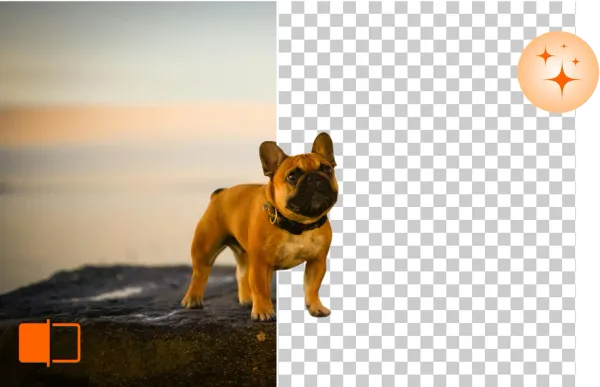
Remove & Edit Background
remove-bg.io will automatically remove the background in seconds, allowing you to edit further.
Download in HD
Happy with your new photo? Download it in HD quality and share it.
Make it Your Own!

Original

Transparent Background

New Background
What Makes Remove BG Unique?
Erase Backgrounds Online for Free
With Remove BG, you can erase backgrounds effortlessly and at no cost. Simplify your editing workflow without compromising on quality.
Edit Backgrounds on Any Device
Remove BG works on all devices — no installations needed. Edit your images seamlessly from a desktop, tablet, or phone.
Supports Popular Image Formats
Remove BG is compatible with PNG, JPG, and other common file formats, making it the perfect tool for any project.
Preserve Your Image Quality
Remove BG ensures that your images retain their full resolution and sharpness, even after background removal.
Why your original never leaves your device
Your original, full-resolution image never leaves your device, and nothing is stored — no archive of your files, no training on your photos, and no account tying a face or a product photo to your name. For a portrait of a child, an unreleased product render, an internal team headshot, or a passport scan, that boundary is the difference between a tool you can hand to anyone on a team and one that needs a legal review first.
There is no per-image charge to track, no monthly credit cap to hit at the worst possible moment, and no sign-up standing between you and a result. HD downloads are free and never watermarked. Nothing you start with is kept afterwards — the file is yours, start to finish.
Built For Every Use Case
E-commerce
Match marketplace specs without a per-platform second pass. Amazon's pure-white 2000x2000 main image, Etsy's 2000x2000 square with a soft shadow, eBay's 1600x1600 zoom-ready frame, Walmart's 2.5 percent padding rule, Shopify's transparent PNG product slot — every preset is one click and the canvas snaps to the spec. The bulk processor takes a folder of studio shots from a single shoot and emits per-platform exports in parallel, each tagged with the right pixel size and the right shadow style for the destination feed.
Photographers
Trim a portrait subject away from a distracting studio sweep, recover a flyaway hair edge with the manual brush, and composite the figure against a softly graded backdrop or a brand colour. The pipeline keeps the original DPI metadata in the export, accepts JPEG, PNG, WebP, and HEIC inputs from a phone or a tethered shoot, and respects the full sensor resolution on the way out — no quiet downsample to fit a freemium tier. Bulk mode handles a wedding gallery in one run.
Car Dealerships
Lift a vehicle off a forecourt, a service-bay floor, or a rainy lot and place it onto a clean showroom gradient, a brand-colour backdrop, or a stock-photo skyline that matches every other unit on the lot page. The cutout holds at the wheel arches and chrome trim, exports at the resolution your DMS feed expects, and the bulk lane handles a full inventory refresh — a hundred VINs in a single drag-and-drop without a per-image fee or a credit-card prompt halfway through.
Marketing
Pull product, talent, or hero subjects out of one shoot and drop them onto a campaign backdrop, a gradient banner, an OOH placement crop, or a paid-social square. Brand colours save once and apply across a batch, the cutout edge stays clean enough for a billboard print, and exports include the transparent PNG, a flattened JPEG, and a WebP for the web team. The bulk processor turns a quarterly asset request from a half-day job in Photoshop into a coffee-break task.
Individuals
Pull a sharp cutout from a phone photo for a profile picture on LinkedIn, Discord, WhatsApp, or a school portal that demands a plain background. Drop yourself onto a clean colour, a softly blurred version of the original scene, or a holiday backdrop for a card. The full-resolution PNG goes straight to your camera roll without a watermark, and the editor keeps recent uploads in a local IndexedDB cache so a second pass on the same photo opens instantly.
Developers
There is no public API yet — no key to issue, no package to install. What is real today is the tool on this site: free, no account, no watermark, full-resolution downloads, and a bulk lane that takes a whole batch in one go and hands it back as a single ZIP. What you upload is processed on our servers and nothing is kept once your result comes back. An authenticated HTTP API is in active development: one call, an image in and a transparent PNG out, so it will work from any language you already build in, priced in prepaid credits with no monthly minimum. Join the early-access list and you will hear from us before it opens.
From the Blog
Remove Backgrounds from Product Photos — Seller's Guide
Learn how to remove backgrounds from product photos for Amazon.ca, Shopify, Etsy, and other Canadian marketplaces. Free tool, HD quality, no sign-up.
How to Make a Passport Photo at Home with a White Background
Create a compliant Canadian passport photo at home by removing the background and adding a plain white backdrop. Meets Canadian passport photo requirements.
How to Make a Transparent Logo PNG for Free
Convert your logo to a transparent PNG in seconds. Remove the background from any logo image for use on websites, documents, and marketing materials.
Frequently Asked Questions
Does Remove BG offer editing tools?
Yes, Remove BG provides tools to refine your images, such as background removal, adjustments, and enhancements.
How can I enhance depth and focus in my images using remove-bg.io?
Our tool supports depth-of-field effects, allowing you to blur the background and highlight the subject.
Can Remove BG create transparent backgrounds?
Absolutely! With Remove BG, you can easily make your image backgrounds transparent.
Can I erase background on iPhone/iOS devices?
Yes, our tool is fully compatible with iPhone and iOS devices.
Can I use this tool on Android devices to erase background?
Yes, Android users can easily access and use remove-bg.io to erase backgrounds.
Why choose Remove BG?
Remove BG is fast, free, and easy to use, with professional results that maintain your image quality.
Is this a free tool for removing backgrounds?
Yes, remove-bg.io offers free background removal services for all users.
Can I remove background from a logo using this tool?
Yes, you can easily remove backgrounds from logos and other graphics.
How can I change the background of a photo?
After removing the background, you can upload and apply a new background from our templates or upload your own.
Still have questions? We're here to help!
Contact Support