

ដកផ្ទៃខាងក្រោយភ្លាមៗ
សម្រេចការដកផ្ទៃខាងក្រោយក្នុង HD ដោយគ្មានរបាំង — 100% ឥតគិតថ្លៃ និងមិនត្រូវការចុះឈ្មោះ!
ដោយការបង្ហោះរូបភាព អ្នកយល់ព្រមតាម លក្ខខណ្ឌនៃសេវាកម្ម និង គោលការណ៍ឯកជនភាព
មិនចាំបាច់ចុះឈ្មោះ
ទាមទារ
ឥតគិតថ្លៃ 100%
ជារៀងរហូត
គ្មានស្នាមទឹក
លទ្ធផលស្អាត
គុណភាព HD
គុណភាពពេញ
លទ្ធផលនិយមន័យខ្ពស់


What is background removal?
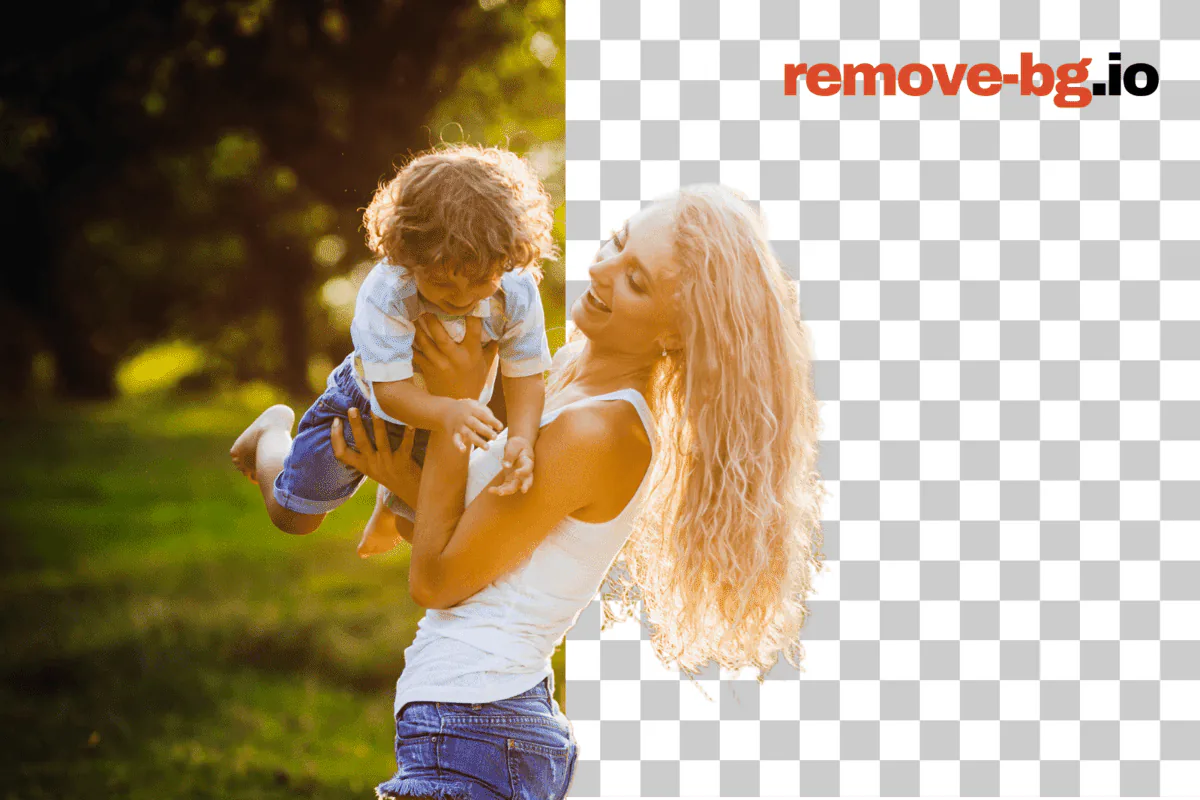
Background removal isolates the subject of a photo — a person, a product, a vehicle, a pet, a graphic — from everything behind it, leaving a clean cutout you can drop onto any backdrop. The result is usually a transparent PNG, where every pixel that used to be sky, wall, table, or studio sweep becomes empty space. From that point you can save the cutout as-is, paste it onto a white square for a marketplace listing, swap in a brand color, blur the original scene for a softer portrait, or composite the subject into a new shot entirely.
remove-bg.io runs the segmentation model directly inside your browser using ONNX Runtime compiled to WebAssembly. The first time you open the editor, a model file downloads to your device cache; after that the cutout happens locally on your CPU or GPU with no round-trip to a server. That means the photo never leaves your machine by default, exports stay at full resolution without a watermark, and there is no daily quota or HD paywall to negotiate. When the in-browser path cannot reach a confident result — very large frames, fine hair against a busy background, low-end mobile silicon — the editor falls back to an API call protected by HMAC signing and proof-of-work.
Common workloads land in a few familiar shapes. Marketplace sellers on Amazon, Etsy, eBay, and Shopify need a pure-white square at exact pixel sizes; portrait photographers need a soft transparent edge that survives a hair-line composite; social posters want a square or vertical crop with the subject pushed to a safe zone away from caption overlays; document workflows need a passport-spec head-and-shoulders silhouette ready for a government form. The same cutout pipeline serves all of them, and a layered editor on top — color fills, gradients, blurs, drop shadows, brand backdrops, and a manual brush for stray pixels — turns the raw mask into a finished export.
របៀបប្រើ remove-bg.io
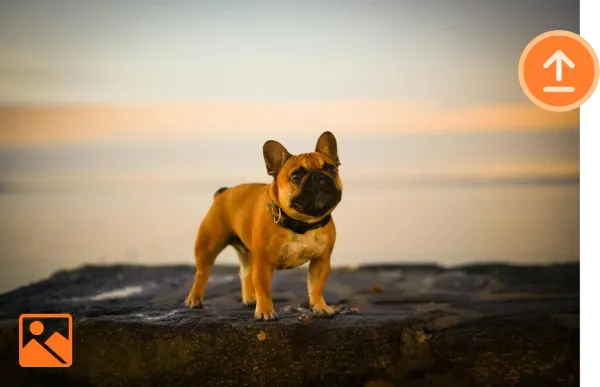
បង្ហោះរូបភាព
ចុចបង្ហោះ ឬអូសរូបភាពដែលអ្នកចង់បានទៅកាន់ប្រអប់បង្ហោះ។
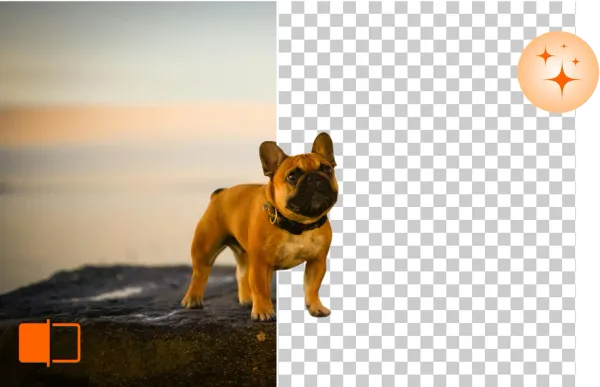
ដក និងកែផ្ទៃខាងក្រោយ
remove-bg.io នឹងដកផ្ទៃខាងក្រោយដោយស្វ័យប្រវត្តិក្នុងរយៈពេលប៉ុន្មានវិនាទី អនុញ្ញាតឱ្យអ្នកកែសម្រួលបន្ថែម។
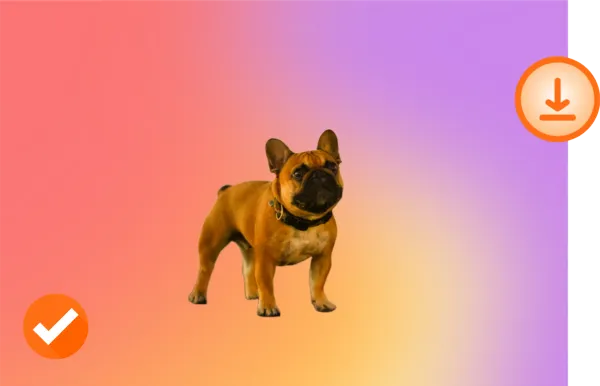
ទាញយកក្នុង HD
ពេញចិត្តនឹងរូបថតថ្មីរបស់អ្នក? ទាញយកវាក្នុងគុណភាព HD និងចែករំលែកវា។
ធ្វើឱ្យវាក្លាយជារបស់អ្នក!

ដើម

ផ្ទៃខាងក្រោយថ្លា

ផ្ទៃខាងក្រោយថ្មី
តើអ្វីដែលធ្វើឱ្យ Remove BG ពិសេស?
លុបផ្ទៃខាងក្រោយអនឡាញដោយឥតគិតថ្លៃ
ជាមួយ Remove BG អ្នកអាចលុបផ្ទៃខាងក្រោយយ៉ាងងាយស្រួល និងដោយឥតគិតថ្លៃ។ សម្រួលដំណើរការកែរបស់អ្នកដោយមិនបាត់បង់គុណភាព។
កែផ្ទៃខាងក្រោយលើឧបករណ៍ណាមួយ
Remove BG ដំណើរការលើឧបករណ៍ទាំងអស់ — មិនត្រូវការដំឡើង។ កែរូបភាពរបស់អ្នកយ៉ាងរលូនពីកុំព្យូទ័រតុ ថេប្លេត ឬទូរស័ព្ទ។
គាំទ្រទម្រង់រូបភាពពេញនិយម
Remove BG ត្រូវគ្នាជាមួយ PNG, JPG និងទម្រង់ឯកសារទូទៅផ្សេងទៀត ធ្វើឱ្យវាក្លាយជាឧបករណ៍ល្អឥតខ្ចោះសម្រាប់គម្រោងណាមួយ។
រក្សាគុណភាពរូបភាព HD
យើងធានាថាគុណភាពដើមនៃរូបថតរបស់អ្នកនៅដដែល សូម្បីតែពេលធ្វើឱ្យផ្ទៃខាងក្រោយថ្លា (PNG)។ រីករាយជាមួយលទ្ធផលច្បាស់ គុណភាពខ្ពស់រាល់ពេល។
Why on-device processing matters
The default cutout never leaves your device. There is no upload step, no temporary server-side file, no log line tying a face or a product photo to your IP. For a portrait of a child, an unreleased product render, an internal team headshot, or a passport scan, that boundary is the difference between a tool you can hand to anyone on a team and one that needs a legal review first. Because the model lives in your browser cache after the first run, return visits start the cutout in the time it takes to load a JPEG.
Local execution also removes the failure modes that come with a paid API. There is no per-image charge to track, no monthly credit cap to hit at the worst possible moment, no rate limiter to wait out, no service outage that strands a Friday-night listing batch. Once the editor is loaded the cutout works on a flight, on a hotel Wi-Fi captive portal, or on a job site with patchy LTE — the round-trip is local. The only time the editor reaches a server is when the in-browser path runs out of memory on a very large frame, and that fallback is free as well.
សម្រាប់គ្រប់ករណីប្រើប្រាស់
E-commerce
Match marketplace specs without a per-platform second pass. Amazon's pure-white 2000x2000 main image, Etsy's 2000x2000 square with a soft shadow, eBay's 1600x1600 zoom-ready frame, Walmart's 2.5 percent padding rule, Shopify's transparent PNG product slot — every preset is one click and the canvas snaps to the spec. The bulk processor takes a folder of studio shots from a single shoot and emits per-platform exports in parallel, each tagged with the right pixel size and the right shadow style for the destination feed.
Photographers
Trim a portrait subject away from a distracting studio sweep, recover a flyaway hair edge with the manual brush, and composite the figure against a softly graded backdrop or a brand color. The pipeline keeps the original DPI metadata in the export, accepts JPEG, PNG, WebP, and HEIC inputs from a phone or a tethered shoot, and respects the full sensor resolution on the way out — no quiet downsample to fit a freemium tier. Bulk mode handles a wedding gallery in one run.
Car Dealerships
Lift a vehicle off a forecourt, a service-bay floor, or a rainy lot and place it onto a clean showroom gradient, a brand-color backdrop, or a stock-photo skyline that matches every other unit on the lot page. The cutout holds at the wheel arches and chrome trim, exports at the resolution your DMS feed expects, and the bulk lane handles a full inventory refresh — a hundred VINs in a single drag-and-drop without a per-image fee or a credit-card prompt halfway through.
Marketing
Pull product, talent, or hero subjects out of one shoot and drop them onto a campaign backdrop, a gradient banner, an OOH placement crop, or a paid-social square. Brand colors save once and apply across a batch, the cutout edge stays clean enough for a billboard print, and exports include the transparent PNG, a flattened JPEG, and a WebP for the web team. The bulk processor turns a quarterly asset request from a half-day job in Photoshop into a coffee-break task.
Individuals
Pull a sharp cutout from a phone photo for a profile picture on LinkedIn, Discord, WhatsApp, or a school portal that demands a plain background. Drop yourself onto a clean color, a softly blurred version of the original scene, or a holiday backdrop for a card. The full-resolution PNG goes straight to your camera roll without a watermark, and the editor keeps recent uploads in a local IndexedDB cache so a second pass on the same photo opens instantly.
Developers
Hit a single REST endpoint at api.remove-bg.io, post a base64 image inside an HMAC-signed JSON body, and get a transparent PNG back. The same endpoint powers the on-page editor, so the response shape, the cutout quality, and the rate behavior match what you have already tested in the browser. Bulk callers stay under three concurrent jobs per token, and a Turnstile-protected boot handshake exchanges short-lived signing keys instead of leaking a static API key into a client bundle. No SDK lock-in, no per-month minimum.
ពីប្លក់
លុបផ្ទាំងខាងក្រោយរូបថតផលិតផល សម្រាប់ហាងអនឡាញ
រៀនពីរបៀបលុបផ្ទាំងខាងក្រោយរូបថតផលិតផល សម្រាប់ហាងអនឡាញ។ ផ្ទាំងខាងក្រោយស ឬថ្លា។
បង្កើតរូបថតលិខិតឆ្លងដែន នៅផ្ទះ ឥតគិតថ្លៃ
រៀនបង្កើតរូបថតលិខិតឆ្លងដែន នៅផ្ទះ។
បង្កើតឡូហ org គោ PNG ថ org លា ដោយឥតគិតថ org លៃ
រៀនពីរបៀបបង org កើតឡូហ org គោ PNG ថ org លា ដោយលុបផ org គម org ខាងក org យ org ឥតគិតថ org លៃ org មិនចាំបាច org ចុះឈ org មោះ org
សំណួរដែលសួរញឹកញាប់
តើ remove-bg.io ផ្តល់ឧបករណ៍សម្រាប់កែផ្ទៃខាងក្រោយរូបថតដែរទេ?
បាទ/ចាស យើងផ្តល់ឧបករណ៍ជាច្រើនសម្រាប់កែផ្ទៃខាងក្រោយ រួមទាំងការដក ការជំនួស និងការកែតម្រូវពណ៌។
តើខ្ញុំអាចពង្រឹងជម្រៅ និងការផ្តោតក្នុងរូបភាពរបស់ខ្ញុំដោយប្រើ remove-bg.io យ៉ាងដូចម្តេច?
ឧបករណ៍របស់យើងគាំទ្រផលប៉ះពាល់ជម្រៅវាល អនុញ្ញាតឱ្យអ្នកធ្វើឱ្យផ្ទៃខាងក្រោយព្រិល និងបញ្ជាក់កម្មវត្ថុ។
តើ remove-bg.io អាចធ្វើឱ្យផ្ទៃខាងក្រោយថ្លាបានទេ?
ឧបករណ៍របស់យើងធ្វើឱ្យវាងាយស្រួលក្នុងការបង្កើតផ្ទៃខាងក្រោយថ្លាសម្រាប់រូបភាពរបស់អ្នក។
តើខ្ញុំអាចលុបផ្ទៃខាងក្រោយលើឧបករណ៍ iPhone/iOS បានទេ?
បាទ/ចាស ឧបករណ៍របស់យើងត្រូវគ្នាពេញលេញជាមួយឧបករណ៍ iPhone និង iOS។
តើខ្ញុំអាចប្រើឧបករណ៍នេះលើឧបករណ៍ Android ដើម្បីលុបផ្ទៃខាងក្រោយបានទេ?
បាទ/ចាស អ្នកប្រើ Android អាចចូលប្រើ និងប្រើ remove-bg.io ដើម្បីលុបផ្ទៃខាងក្រោយយ៉ាងងាយស្រួល។
ហេតុអ្វីបានជាខ្ញុំគួរប្រើឧបករណ៍ដកផ្ទៃខាងក្រោយអនឡាញនេះ?
remove-bg.io ផ្តល់វិធីងាយស្រួល លឿន និងមានប្រសិទ្ធភាពដើម្បីដកផ្ទៃខាងក្រោយដោយមិនបាត់បង់គុណភាពរូបភាព។
តើនេះជាឧបករណ៍ឥតគិតថ្លៃសម្រាប់ដកផ្ទៃខាងក្រោយមែនទេ?
បាទ/ចាស remove-bg.io ផ្តល់សេវាកម្មដកផ្ទៃខាងក្រោយឥតគិតថ្លៃសម្រាប់អ្នកប្រើប្រាស់ទាំងអស់។
តើខ្ញុំអាចដកផ្ទៃខាងក្រោយពីឡូហ្គោដោយប្រើឧបករណ៍នេះបានទេ?
បាទ/ចាស អ្នកអាចដកផ្ទៃខាងក្រោយពីឡូហ្គោ និងក្រាហ្វិកផ្សេងទៀតយ៉ាងងាយស្រួល។
តើខ្ញុំអាចផ្លាស់ប្តូរផ្ទៃខាងក្រោយនៃរូបថតយ៉ាងដូចម្តេច?
បន្ទាប់ពីដកផ្ទៃខាងក្រោយ អ្នកអាចបង្ហោះ និងអនុវត្តផ្ទៃខាងក្រោយថ្មីពីគំរូរបស់យើង ឬបង្ហោះផ្ទាល់ខ្លួនរបស់អ្នក។
នៅតែមានសំណួរ? យើងនៅទីនេះដើម្បីជួយ!
ទាក់ទងជំនួយ