

Susa i-BG Ngokukhawuleza
Fikelela ekususeni imvelaphi engangeni phantsi kwi-HD usebenzisa u-Remove BG — 100% simahla kwaye akukho kubukrobhisa okufunekayo!
Ngokufaka umfanekiso, uyavuma Imiqathango yeNkonzo kunye Umgaqo-Nkqubo waBucala

Akukho Kubhalisa
Kuyafuneka
100% Simahla
Ngonaphakade
Akukho Watermark
Iziphumo Ezicocekileyo
Umgangatho we-HD
I-Resolution Epheleleyo
Iziphumo ze-HD


What is background removal?
Background removal isolates the subject of a photo — a person, a product, a vehicle, a pet, a graphic — from everything behind it, leaving a clean cutout you can drop onto any backdrop. The result is usually a transparent PNG, where every pixel that used to be sky, wall, table, or studio sweep becomes empty space. From that point you can save the cutout as-is, paste it onto a white square for a marketplace listing, swap in a brand color, blur the original scene for a softer portrait, or composite the subject into a new shot entirely.
remove-bg.io runs the segmentation model directly inside your browser using ONNX Runtime compiled to WebAssembly. The first time you open the editor, a model file downloads to your device cache; after that the cutout happens locally on your CPU or GPU with no round-trip to a server. That means the photo never leaves your machine by default, exports stay at full resolution without a watermark, and there is no daily quota or HD paywall to negotiate. When the in-browser path cannot reach a confident result — very large frames, fine hair against a busy background, low-end mobile silicon — the editor falls back to an API call protected by HMAC signing and proof-of-work.
Common workloads land in a few familiar shapes. Marketplace sellers on Amazon, Etsy, eBay, and Shopify need a pure-white square at exact pixel sizes; portrait photographers need a soft transparent edge that survives a hair-line composite; social posters want a square or vertical crop with the subject pushed to a safe zone away from caption overlays; document workflows need a passport-spec head-and-shoulders silhouette ready for a government form. The same cutout pipeline serves all of them, and a layered editor on top — color fills, gradients, blurs, drop shadows, brand backdrops, and a manual brush for stray pixels — turns the raw mask into a finished export.
Indlela Yokusetyenziswa remove-bg.io
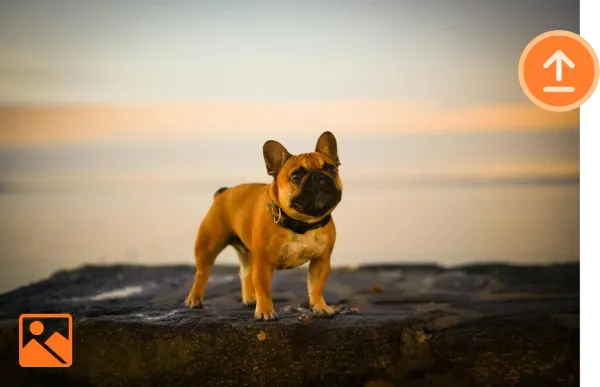
Layisha isithombe
Cofa u-Layisha okanye ugezele umfanekiso wakho onqwenelayo kwibhokisi yokulayisha.
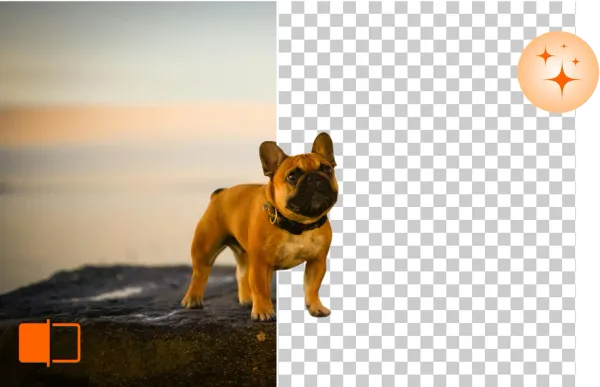
Susa & Hlela iMvelaphi
remove-bg.io ngokuzenzekelayo iza kususa imvelaphi ngemizuzwana embalwa, ikunika ithuba lokuhlengahlengisa ngakumbi.
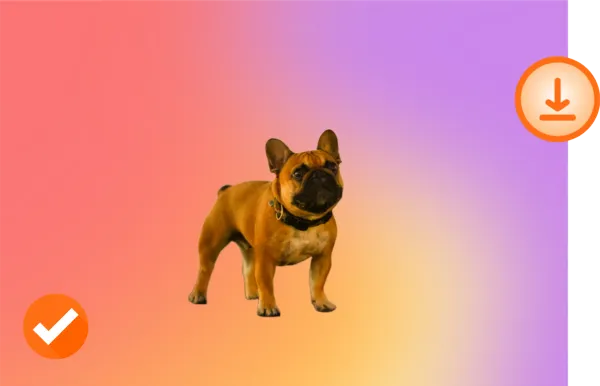
Khuphela kwi-HD
Uyavuya ngomfanekiso wakho omtsha? Khuphela kwi-HD kwaye wabelane ngawo.
Yenza okwakho!

Eyokuqala

Imvelaphi eTransparent

Imvelaphi eNtsha
Yintoni eyenza u-Remove BG ube nathi?
Susa iMvelaphi kwi-Intanethi Simahla
Nge-Remove BG, ungakhupha imvelaphi ngokulula kwaye ngaphandle kwendleko. Yenza lula umsebenzi wakho wokuhlela ngaphandle kokuncama umgangatho.
Hlela iMvelaphi kuzo zonke iziXhobo
Remove BG isebenza kuzo zonke izixhobo - akukho lula ukufakwa ezifuneka. Hlela imifanekiso yakho ngokukhululekileyo ukusuka kwidesktop, ithebhulethi, okanye ifowuni.
Ixhasa iifomathi zemifanekiso ethandwayo
Remove BG iyahambelana ne-PNG, JPG, kunye nezinye iifomathi zefayile eziqhelekileyo, iyenza isixhobo esigqibeleleyo kuyo nayiphi na iprojekthi.
Gcina Umgangatho WeMifanekiso Yakho
Remove BG iqinisekisa ukuba imifanekiso yakho igcina yonke isisombululo sayo ngokuqinileyo emva kokuba ukususa imvelaphi.
Why on-device processing matters
The default cutout never leaves your device. There is no upload step, no temporary server-side file, no log line tying a face or a product photo to your IP. For a portrait of a child, an unreleased product render, an internal team headshot, or a passport scan, that boundary is the difference between a tool you can hand to anyone on a team and one that needs a legal review first. Because the model lives in your browser cache after the first run, return visits start the cutout in the time it takes to load a JPEG.
Local execution also removes the failure modes that come with a paid API. There is no per-image charge to track, no monthly credit cap to hit at the worst possible moment, no rate limiter to wait out, no service outage that strands a Friday-night listing batch. Once the editor is loaded the cutout works on a flight, on a hotel Wi-Fi captive portal, or on a job site with patchy LTE — the round-trip is local. The only time the editor reaches a server is when the in-browser path runs out of memory on a very large frame, and that fallback is free as well.
Yakhelwe Yonke Indlela Yokusebenzisa
E-commerce
Match marketplace specs without a per-platform second pass. Amazon's pure-white 2000x2000 main image, Etsy's 2000x2000 square with a soft shadow, eBay's 1600x1600 zoom-ready frame, Walmart's 2.5 percent padding rule, Shopify's transparent PNG product slot — every preset is one click and the canvas snaps to the spec. The bulk processor takes a folder of studio shots from a single shoot and emits per-platform exports in parallel, each tagged with the right pixel size and the right shadow style for the destination feed.
Photographers
Trim a portrait subject away from a distracting studio sweep, recover a flyaway hair edge with the manual brush, and composite the figure against a softly graded backdrop or a brand color. The pipeline keeps the original DPI metadata in the export, accepts JPEG, PNG, WebP, and HEIC inputs from a phone or a tethered shoot, and respects the full sensor resolution on the way out — no quiet downsample to fit a freemium tier. Bulk mode handles a wedding gallery in one run.
Car Dealerships
Lift a vehicle off a forecourt, a service-bay floor, or a rainy lot and place it onto a clean showroom gradient, a brand-color backdrop, or a stock-photo skyline that matches every other unit on the lot page. The cutout holds at the wheel arches and chrome trim, exports at the resolution your DMS feed expects, and the bulk lane handles a full inventory refresh — a hundred VINs in a single drag-and-drop without a per-image fee or a credit-card prompt halfway through.
Marketing
Pull product, talent, or hero subjects out of one shoot and drop them onto a campaign backdrop, a gradient banner, an OOH placement crop, or a paid-social square. Brand colors save once and apply across a batch, the cutout edge stays clean enough for a billboard print, and exports include the transparent PNG, a flattened JPEG, and a WebP for the web team. The bulk processor turns a quarterly asset request from a half-day job in Photoshop into a coffee-break task.
Individuals
Pull a sharp cutout from a phone photo for a profile picture on LinkedIn, Discord, WhatsApp, or a school portal that demands a plain background. Drop yourself onto a clean color, a softly blurred version of the original scene, or a holiday backdrop for a card. The full-resolution PNG goes straight to your camera roll without a watermark, and the editor keeps recent uploads in a local IndexedDB cache so a second pass on the same photo opens instantly.
Developers
Hit a single REST endpoint at api.remove-bg.io, post a base64 image inside an HMAC-signed JSON body, and get a transparent PNG back. The same endpoint powers the on-page editor, so the response shape, the cutout quality, and the rate behavior match what you have already tested in the browser. Bulk callers stay under three concurrent jobs per token, and a Turnstile-protected boot handshake exchanges short-lived signing keys instead of leaking a static API key into a client bundle. No SDK lock-in, no per-month minimum.
Okuvela KwiBhulogi

Susa iMvelaphi kwiMifanekiso (Gumtree, OLX, Amazon)
Funda ukususa imvelaphi kwimifanekiso yemveliso simahla nge-HD. Ilungele iGumtree, OLX, Amazon ne-eBay. Akukho kubhalisa, akukho maphawu amanzi.
Iifoto zePaspoti Ekhaya — Imvelaphi Efanelekileyo
Yenza iifoto zepaspoti ngemvelaphi emhlophe ekhaya. Iimfuno zoMzantsi Afrika, US, UK ne-EU. Simahla, akukho kubhalisa.
Yenza iLogo Ecacileyo ye-PNG Online Simahla
Guqula nayiphi na ilogo ibe yi-PNG ecacileyo. Susa imvelaphi kwii-JPG, imifanekiso esikeniweyo neskrinshothi. Simahla, fumana i-HD.
Imibuzo Evela Kamaqela
Ngaba u-Remove BG unikeza izixhobo zokuhlela?
Ewe, Remove BG ibonelela ngezixhobo zokuphucula imifanekiso yakho, ezifana nokususa imvelaphi, uhlengahlengiso, kunye nolwandiso.
Ndingaphucula njani ubunzulu kunye nokucacisa kwimifanekiso yam usebenzisa remove-bg.io?
Isixhobo sethu sixhasa iziphumo zobunzulu bendawo, sikuvumela ukuba uzehlulise imvelaphi kwaye ugxininise kwisihloko.
Ngaba u-Remove BG uyakwazi ukwenza imvelaphi ebonakalayo?
Ngokuqinisekileyo! Nge Remove BG, ungayenzi ngokulula imvelaphi yemifanekiso ibonakale.
Ngaba ndinga sula imvelaphi kwisixhobo se-iPhone/iOS?
Ewe, isixhobo sethu simele ngokugqibeleleyo i-iPhone kunye ne-iOS.
Ngaba ndinga sebenzisa esisixhobo kwizixhobo ze-Android ukususa imvelaphi?
Ewe, abasebenzisi be-Android banokufikelela ngokulula kwaye basebenzise remove-bg.io ukususa imvelaphi.
Kutheni ukhetha Remove BG?
Remove BG kuyakhawuleza, simahla, kwaye kulula ukuyisebenzisa, kwaye iziphumo zobungcali zigcina umgangatho wefoto yakho.
Ngaba esi sisixhobo simahla sokususa imvelaphi?
Ewe, remove-bg.io inikeza iinkonzo zasimahla zokususwa kwemvelaphi kuwo onke abasebenzisi.
Ngaba ndinga susa imvelaphi kwiinhlamvu ngeli sixhobo?
Ewe, ungasusa ngokulula iimeko zemvelaphi kwiilogo nakwezinye igrafiki.
Ndingayitshintsha njani imvelaphi yephoto?
Emva kokususa imvelaphi, ungalayisha kwaye usebenzise imvelaphi entsha kwizifanekiso zethu okanye ulayishe ezakho.
Usenombuzo? Silapha ukubanceda!
Qhagamshelana Nenkxaso