

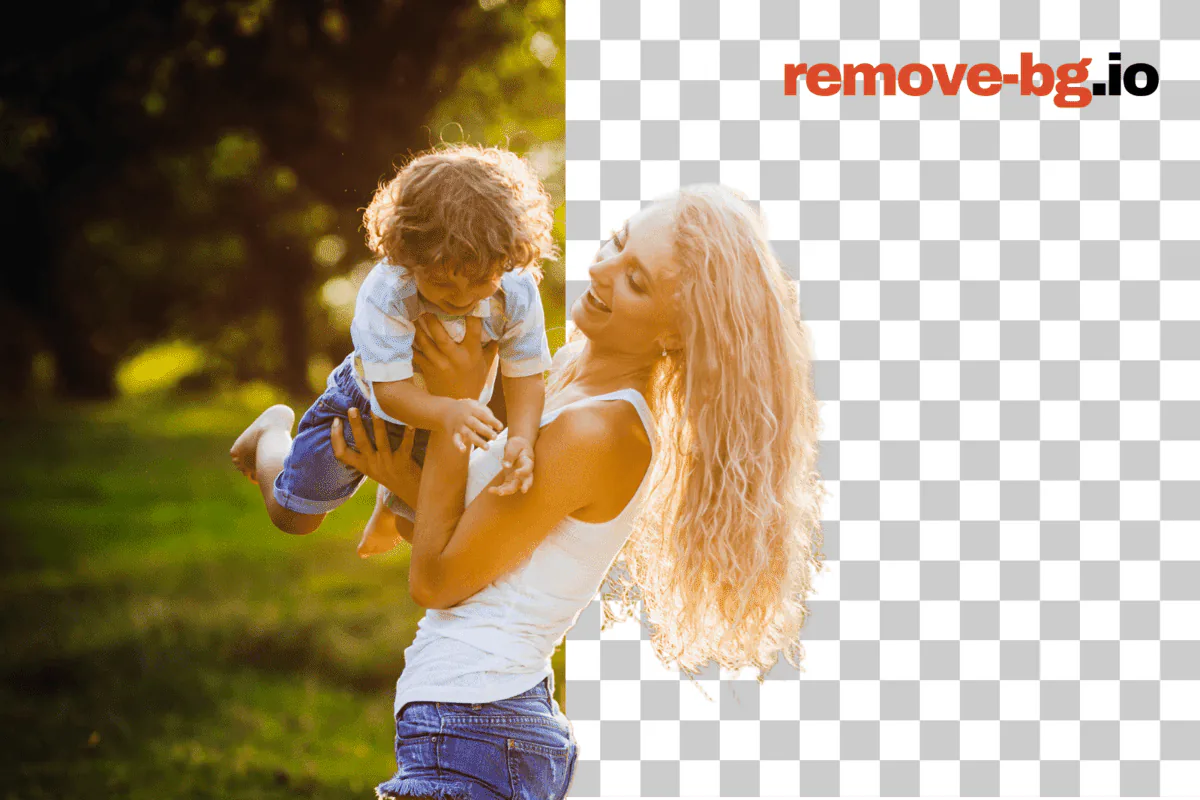
There are at least a dozen tools that will strip the background out of an image for free. The catch is hidden in the fine print: download caps, surprise watermarks, low-resolution previews, mandatory accounts, or the silent step where "free" turns into a credit card prompt at the end of an otherwise good experience.
This piece is the result of testing six of the most-used free background removers against remove-bg.io on the same five images. The goal was a single answer to the question most people actually have: which one should I use this week, for the kind of image I'm working with right now?
Where a competitor wins on a given dimension, that's said plainly. The verdict at the end is not "everything else is bad." Several of these tools are worth using — for the right job.
How I tested
I picked five images that cover the cases people actually upload:
- A product shot on a clean studio background (easy mode).
- A model with mid-length hair against a busy outdoor background (the classic edge-detection test).
- A glass perfume bottle on grey (transparency and refraction).
- A pet (long fur, motion blur on the ears).
- A high-resolution group photo, 4032 × 3024 px from a phone (the "does the free tier let me download this at full size" test).
Each tool got the same five files. I evaluated:
- Free-tier ceiling: how many images per day or month, and what resolution comes out the other end.
- Watermark behavior: does the free output have a watermark, and if so where.
- Edge quality: subjective 1–5 score on the hair, fur, and glass tests.
- Speed to first download: time from "image uploaded" to "PNG on disk."
- Account friction: can I get to a usable result without giving anyone my email.
Specs were verified directly from each vendor's published documentation and pricing page on April 27, 2026. Free-tier policies change frequently — see lastVerified in this post's frontmatter and re-check the vendor before relying on a number for a paid project.
remove.bg
remove.bg, owned by Canva since 2021, is the brand most people compare against. The hosted API and the simple drag-and-drop site both produce excellent results, especially on portraits with hair detail.
What it does well: very strong edge detection on the hair test, almost no halos around the model. The processing is fast — typically under three seconds per image. The Photoshop and Figma plugins are best-in-class if you live inside Adobe or in design tools all day.
The free tier limit is the part that catches people. You can preview any image at full resolution, but the free download is capped at 0.25 megapixels (roughly 612 × 408 px) — fine for thumbnails, painful for anything you want to print or list on a marketplace. Full-resolution downloads cost credits: a single HD image runs about $1.99 á la carte, and the lowest subscription tier starts at $0.20–$0.40 per image depending on volume. If you need 100 HD outputs in a month, you'll spend somewhere between $20 and $40.
Best for: occasional one-off cutouts where preview-quality is enough, or paid users with budget who already standardized on the API. Compare directly: remove-bg.io vs remove.bg.
Photoroom
Photoroom started as a mobile app and now has a strong web editor. The killer feature is the post-cutout workflow: instant background fills, brand templates, batch resizing, and presets sized for Etsy, Shopify, Amazon, and the major social platforms. The actual cutout quality is roughly on par with remove.bg on portraits, slightly behind on fine fur, slightly ahead on product shots with hard edges.
The free web tier lets you process individual images and export at up to 1500 px on the long edge, with a small Photoroom watermark on free exports. Pro removes the watermark, raises the export to full resolution, and unlocks batch (up to 50 images at a time on the lowest paid plan). Pro is $9.99 per month month-to-month, less on annual.
What it does well: the templates. If you're a Shopify or Etsy seller and you want a flat-lay product shot dropped onto a branded backdrop in two clicks, Photoroom is genuinely the best tool in this list for that workflow. The mobile app is also the most polished phone-native option here.
Best for: solo e-commerce sellers and short-form social creators who want the post-cutout staging to be one click instead of fifteen. Compare directly: remove-bg.io vs Photoroom.
Canva Background Remover
Canva bundles a background remover into its Pro and Teams subscriptions. It uses the remove.bg engine under the hood, so the cutout itself is essentially identical to remove.bg's output.
There is no functional free tier — the background remover is a Pro-only feature and shows a paywall once you click the button on the free plan. Canva Pro is $14.99 per month or $119.99 per year for one user.
What Canva does well: integration. If you already use Canva for the rest of your design (which is most marketing teams under 50 people in 2026), the background remover is in the same panel as your fonts, brand colors, and templates. You're not bouncing between tools to get a final asset out the door.
Best for: existing Canva Pro subscribers. If you're not paying for Canva already, the standalone tools below are a better value. Compare directly: remove-bg.io vs Canva.
Adobe Express Background Remover
Adobe Express is Adobe's free-tier consumer design tool, and it includes a background remover in the basic plan. Free users get unlimited removals at full resolution, no watermark, with an Adobe account.
The cutout quality is solid — comparable to Photoroom on hard edges, a half-step behind remove.bg on fine hair. The integration story is the obvious draw: anything you remove in Adobe Express drops into Photoshop, Illustrator, or InDesign through the Creative Cloud library.
The catch is account friction. You need an Adobe ID, you'll get marketing email, and the export flow nudges you toward Premium upsells before the file actually downloads. The web app is also noticeably heavier than the lighter-weight tools in this comparison — first load is 4–6 seconds on a fast connection.
What Adobe does well: full-resolution free downloads with no watermark, and a serious upgrade path if you ever need real Photoshop. The HSL background fill and the brand-kit color swap are also better than the free competition.
Best for: people who already have a Creative Cloud subscription, or who plan to grow into one. Compare directly: remove-bg.io vs Adobe Express.
BG Eraser
BG Eraser is a small specialist tool that focuses entirely on background removal, with no broader design app strapped on. The free tier is generous: unlimited removals, full-resolution downloads, no watermark, no account required for occasional use.
The cutout quality is the weakest of the six on the hair and fur tests — visible halos on the model image and a slight chunkiness on the long-fur pet. Hard edges (product shots, vehicles) come out fine. Processing is a few seconds slower than the larger tools.
What BG Eraser does well: the no-friction flow. If you need a transparent PNG of a hard-edged subject, fast, with no signup and no quota anxiety, BG Eraser is one of the easiest tools to pull out for a one-off job.
Best for: hard-edged product cutouts where the absolute finest hair detail isn't needed, and you want to skip every account flow on the internet. Compare directly: remove-bg.io vs BG Eraser.
Pixlr
Pixlr is a long-running web editor — closer to a Photoshop alternative than a single-purpose background remover. The "Remove BG" tool is one feature inside a larger suite that also covers layers, retouching, generative fill, and templates.
Pixlr's free tier gives you a limited number of AI credits per day (six at the time of writing) that gate AI-powered features including background removal. Cutouts download at full resolution with no watermark. Once your daily credits are out, the AI features lock until the next day — or you upgrade.
Cutout quality is mid-pack: better than BG Eraser on portraits, behind remove.bg and Photoroom on the toughest hair shots. The real value is the editor that wraps the cutout — once your subject is isolated, you have a real layer-based editing canvas with selection tools, blend modes, and adjustment layers.
What Pixlr does well: the editor. If you want to cut someone out and immediately do real retouching — dodge and burn, color grade, composite into a new scene — Pixlr is the only tool in this list that gives you that without sending the file off to another app.
Best for: photo editors who want a full editor with AI helpers, not a single-purpose cutout tool. Compare directly: remove-bg.io vs Pixlr.
Comparison table
Verified April 27, 2026 from each vendor's pricing and product pages. Free-tier specifics change — re-confirm before depending on these numbers for a paid workflow.
| Tool | Free download resolution | Watermark on free | Daily/monthly free cap | Account required | Lowest paid plan |
|---|---|---|---|---|---|
| remove-bg.io | Full resolution, HD | None | Unlimited | None | Free |
| remove.bg | 0.25 MP preview only | None on preview | 50 free credits on signup, then pay | Yes (for credits) | $0.20–$0.40 per HD image (volume-tiered) |
| Photoroom | 1500 px long edge | Small Photoroom mark | Unlimited at the lower resolution | Yes | $9.99 / month (Pro) |
| Canva (Pro) | Full resolution | None on Pro | Pro-only feature, no functional free tier | Yes | $14.99 / month (Pro) |
| Adobe Express | Full resolution | None | Unlimited (with Adobe ID) | Yes | Free, with Premium at $9.99 / month |
| BG Eraser | Full resolution | None | Unlimited (occasional use) | Optional | $9 / month |
| Pixlr | Full resolution | None | 6 AI credits / day | Optional, required for credits | $7.99 / month |
A note on the resolution column: "full resolution" means the output keeps the input image's pixel dimensions. None of these tools upscale beyond the input.
When to choose which
You want a clean, watermark-free, full-resolution PNG with no signup, today, on any image size: remove-bg.io or BG Eraser. remove-bg.io is the better default because of HD on every image, no daily cap, and the in-browser editor for shadows, color fills, and bulk processing.
You're already in Canva for the rest of the project: Canva Pro. The background remover sits next to your brand kit and templates and the round-trip is zero clicks.
You're a Shopify or Etsy seller staging product shots all day: Photoroom Pro. The marketplace templates are unmatched and the brand presets save real time.
You need fine portrait hair detail above all else, and budget isn't a constraint: remove.bg. The hair-edge model is still the benchmark, and the API integrations into Adobe and Figma are first-class.
You're a Creative Cloud subscriber: Adobe Express. Free downloads, no watermark, and a real upgrade path into Photoshop when the cutout isn't enough on its own.
You want a real layer-based editor wrapped around the cutout: Pixlr. The closest thing to free Photoshop in this list.
You're picking the tool for a long-tail of mixed jobs and don't want to keep switching: remove-bg.io. Free HD on every image, no signup, no watermark, bulk up to 1,000 images, and an editor that handles shadows, color fills, transparent PNG export, and background swaps without paywalls in the middle of the flow.
Verdict
Each of the six tools above earns its place — Photoroom for marketplace staging, Canva for in-app convenience, Adobe Express for Creative Cloud users, remove.bg for hair-edge precision, BG Eraser for friction-free hard-edge jobs, Pixlr for full editing.
The reason remove-bg.io wins as the default free tool comes straight from the table:
- HD on every download, free. No 0.25 MP preview cap, no quota.
- No watermark on any output. Free or paid path, the PNG is clean.
- No account, no email, no card. Drag, drop, download, leave.
- Bulk up to 1,000 images at a time on the same free tier — Photoroom and remove.bg both gate batch behind paid plans.
- On-device processing by default (ONNX/WASM in your browser). Your image doesn't leave the device for the cutout itself unless you opt into the cloud fallback. None of the other five tools in this list ship a meaningful in-browser engine.
The decision tree above still holds — if Canva's templates or Photoshop's depth are non-negotiable for your workflow, those tools are right for you. For everything else, remove-bg.io is the one to keep open in a tab.
The full per-tool breakdowns live at the alternatives hub — every comparison page reverifies the free-tier specs against the vendor's own pricing page on a published date so you can audit before depending on a number.
→ Open the editor | Bulk processing | Compare alternatives | Help & guides
Specs in this post were verified against vendor pricing pages on April 27, 2026. Free-tier policies change without notice — re-confirm at the source before depending on a number for a paid project. If you spot an outdated detail, the canonical version of this post is updated in place at the URL above.